
Your tabs. Sealed.
lokreo puts a password on any website you choose, without logging you out. Walk away from the computer. Your Gmail, your Discord, your documents: nobody gets in but you.

See it in action
Watch a tab get sealed.
The whole thing, start to finish: pick a site, set one password, walk away.
How it works
Seven steps. Then nothing gets past you.
01
Thirty seconds to your first wall.
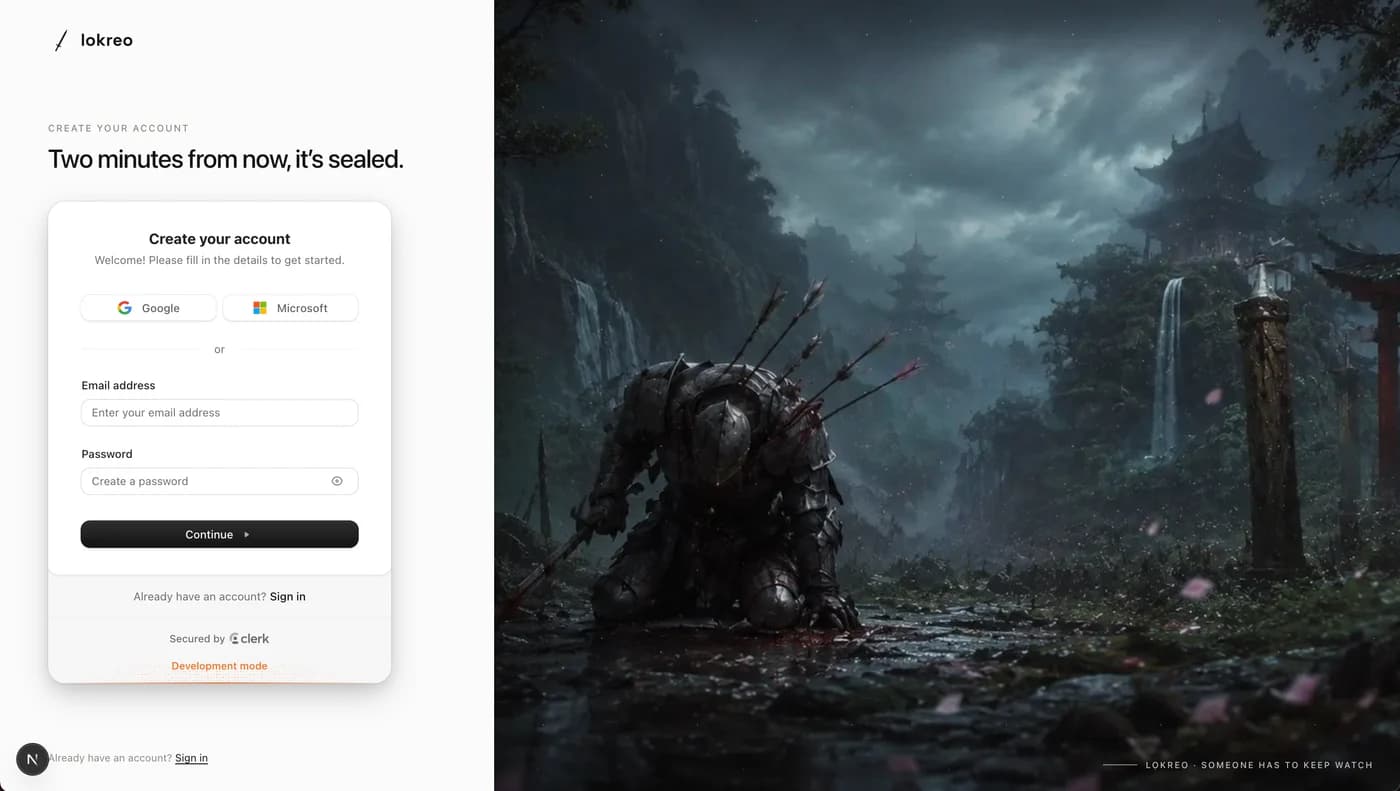
Hit Get started and sign up with Google, Microsoft, or email. That account becomes the keep: every rule you make lives there, waiting on any computer you ever touch.
02
Name what stays yours.
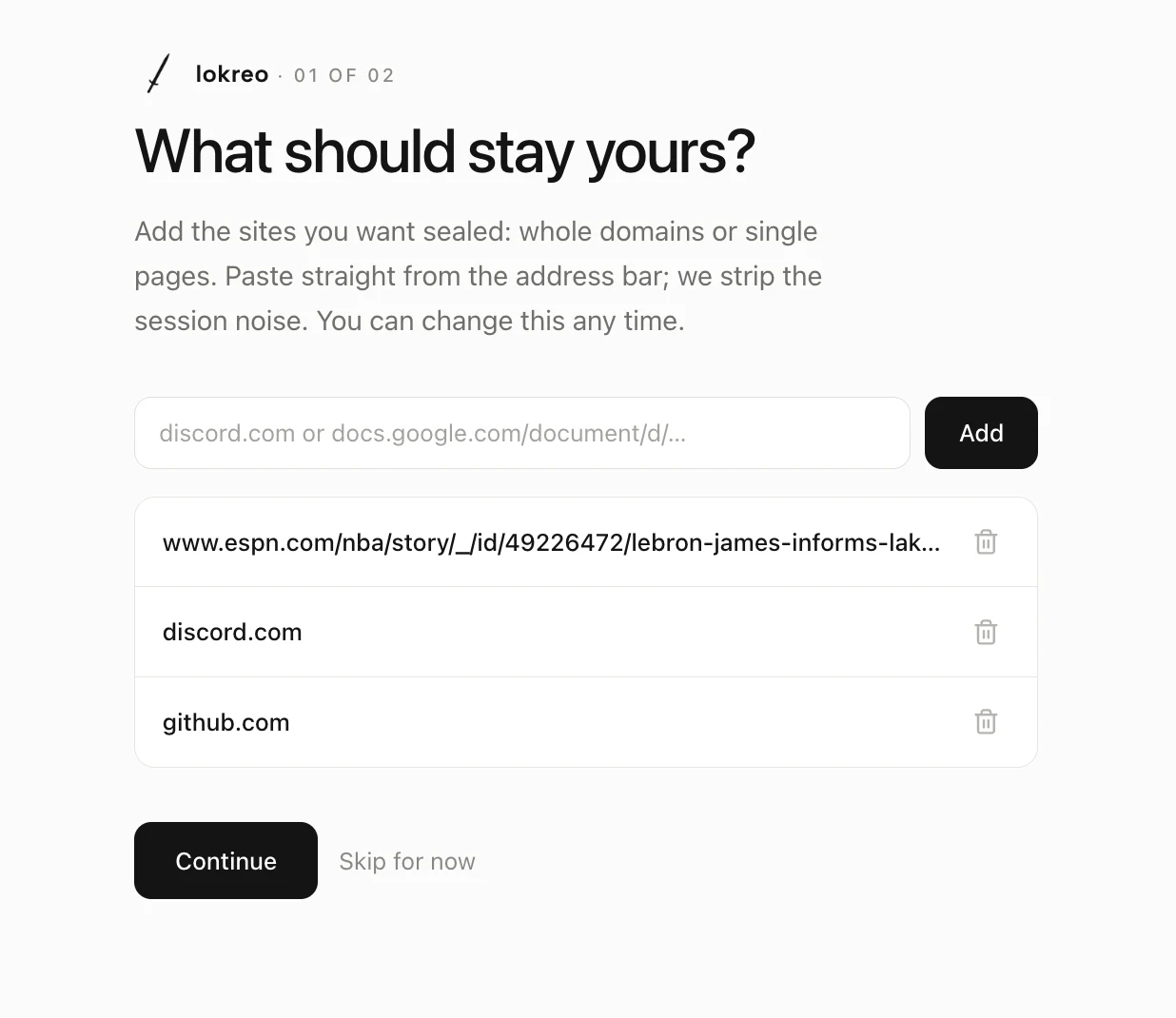
Type a site or paste the link straight from the address bar. A whole domain, or one single document that nobody else has any business opening. Each one you add is a door that stops existing for everyone but you.
03
One password. Guard it like it opens everything, because it does.
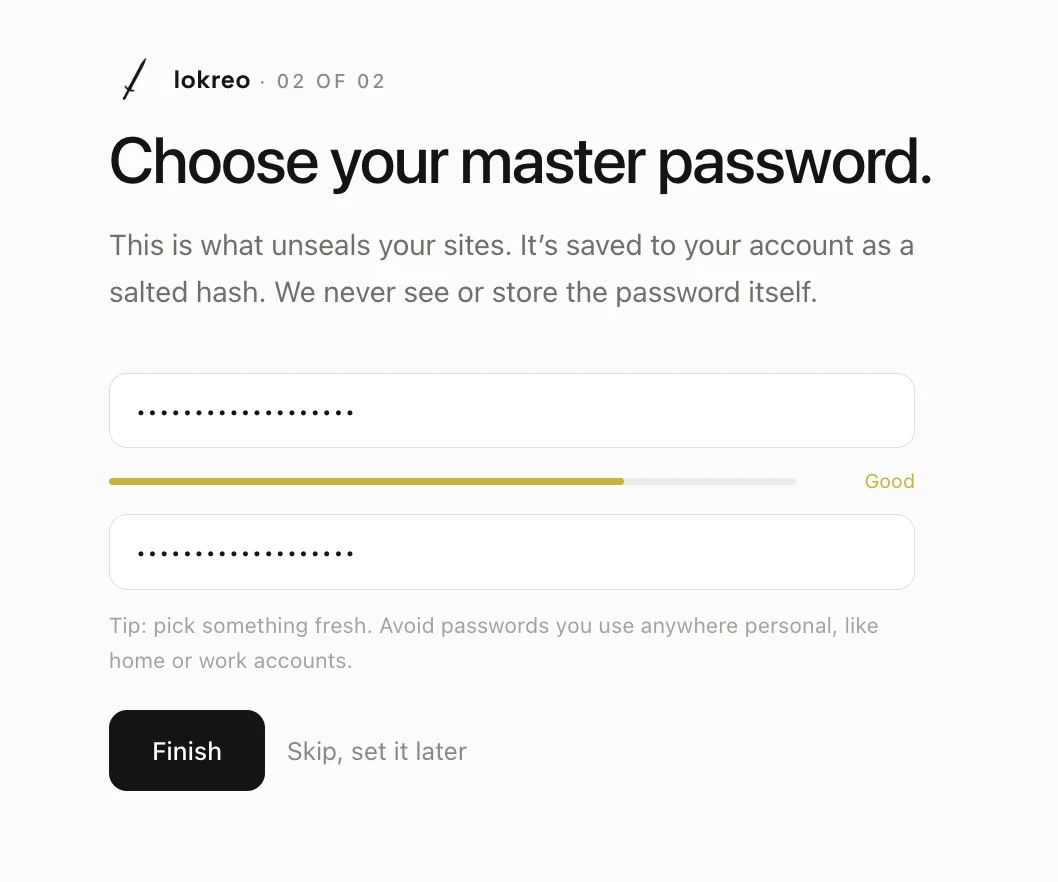
Choose your master password and watch the bar burn from red to green. Pick something fresh, nothing you use anywhere else. We only ever keep a scrambled hash; the real thing never leaves your hands.
04
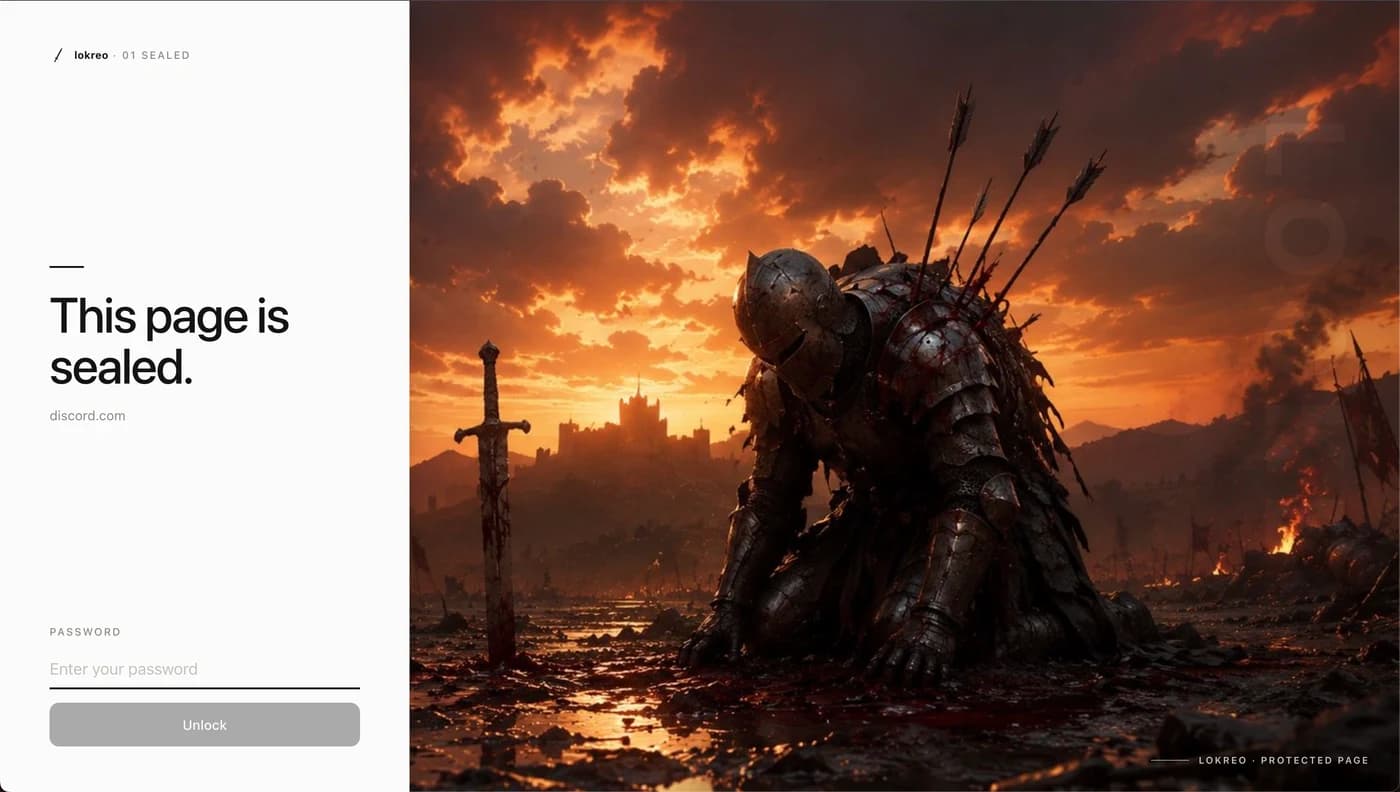
The page vanishes. You never logged out. They never get in.
Install the extension and leave the desk. Close the tab, drift to another site, go idle: the seal comes down on its own. Whoever sits in your chair meets the wall, and the wall does not negotiate.
05
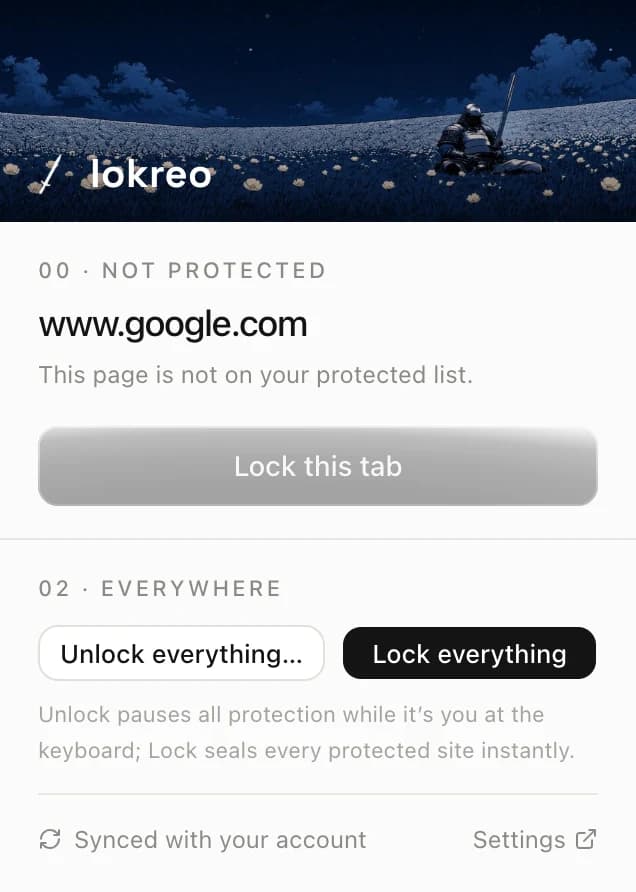
Leaving? Two clicks. Done.
The popup is always right there in your toolbar. Someone walking over mid-meeting? Lock this tab. Grabbing lunch? Hit Lock everything and just go, no password needed. And when it's you again, Unlock everything opens it all back up and keeps it open until you lock it again.
06
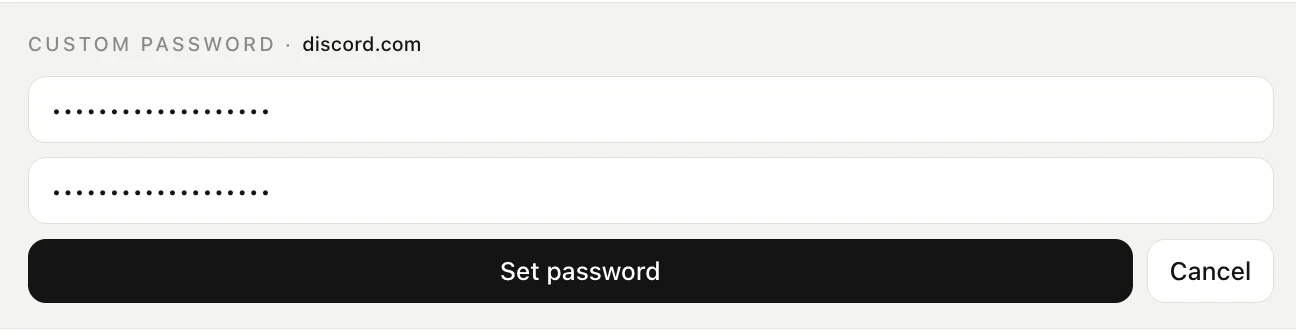
Some things deserve their own key.
See the little key next to each site? Click it, type a password, done. Now your bank has its own lock. So even if someone catches you typing one password over your shoulder, everything else is still shut to them.
07
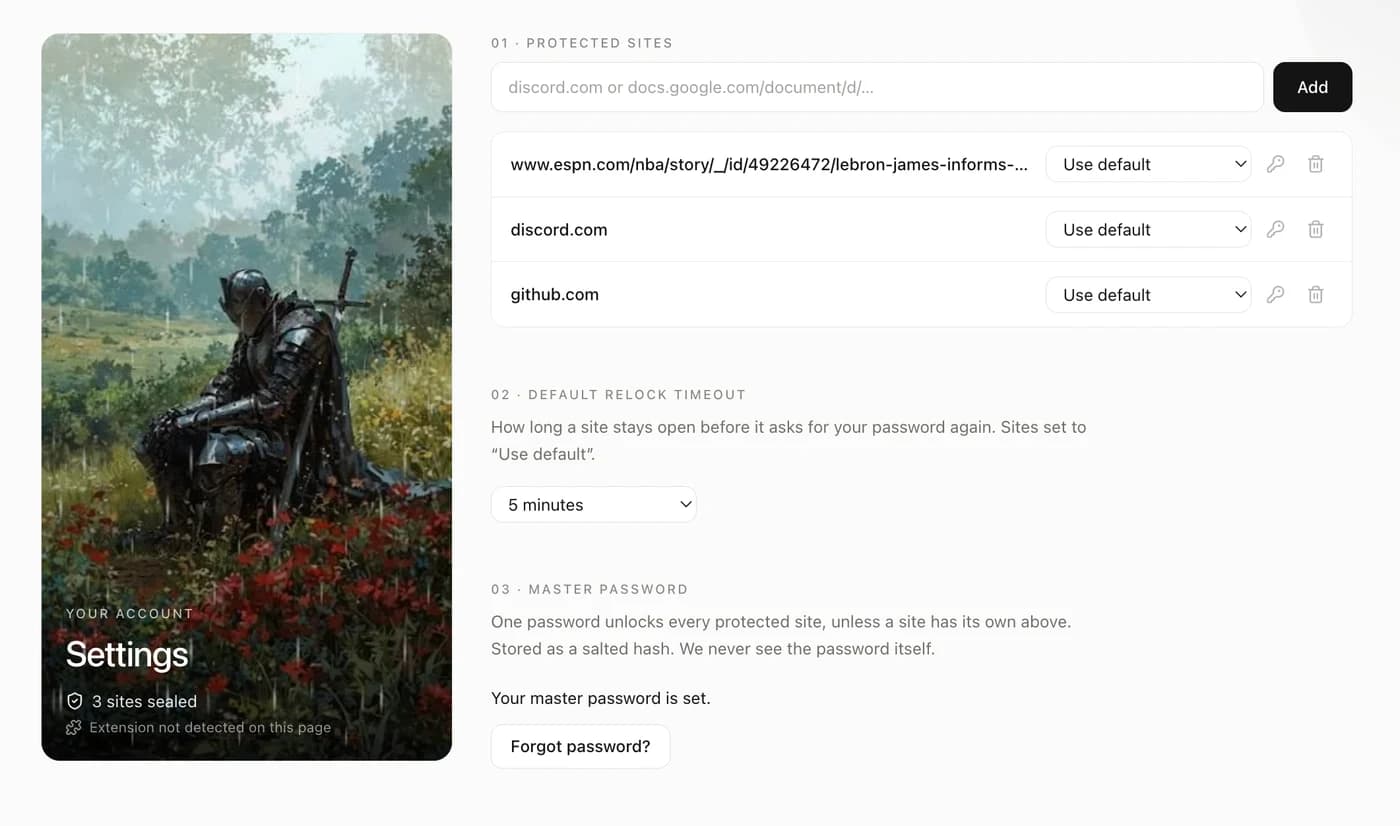
Every rule, every timer, every key. One page.
The dashboard holds it all: how long each site stays open, which ones carry their own password, and the master key itself. Change anything and it reaches the extension in the same breath.

Someone has to keep watch
You stay signed in. They stay locked out.
Features
Everything a lock should do. Nothing it shouldn’t.
Per-site passwords
Your bank can have a different password than your Discord. Each site, its own key.
Relock on your terms
Five minutes, an hour, or until the tab closes. You decide how long a site stays open.
Ask every visit
Leave a page and come back? It asks for the password again. Every single time.
One-click lockdown
One click locks every protected site at once. Locking never needs a password.
It’s-me mode
It’s you at the keyboard? Unlock everything. Step away and it arms itself again.
Local by design
Locking runs on your device. We store passwords only as scrambled hashes, never the real thing.
Questions
Everything you were about to ask.
The page freezes behind a full-screen wall the instant you leave it or your timeout runs out. Your session underneath is untouched, still logged into Discord, still signed into your bank, but nobody sees a pixel of it without your password. Walk away, come back, whatever: the real page is still sitting there, just not for anyone else.
It stops the person who picks up your laptop while you're getting coffee. It will not stop someone who can open chrome://extensions and switch lokreo off, or who already has access to your operating system, nothing running inside the browser can promise that. We built this for the threat that's actually common: a shared computer, a nosy coworker, a roommate who "just needs to check something quick." If your threat model includes someone with your OS password, you need full-disk encryption and a locked screen, not just a locked tab.
You are not locked out forever. Hit "Forgot password" on your dashboard, verify it's really you through your account email or phone, and set a new one. Every site you've already protected stays exactly as protected, you just need a new key to open them.
No. Not your master password, not any per-site password, none of it. Everything is run through a one-way hash, 210,000 rounds of PBKDF2, before it ever leaves your device, and only that scrambled result is stored. If our database were stolen tomorrow, there would be no password inside it to steal, just noise.
No perceptible delay. The lock check runs the moment a page loads, before you've had time to look at it, and reopening a site you already unlocked recently is instant, no retyping your password on every refresh unless you told it to ask every time.
Nothing is lost. Every setting, every protected site, every password hash lives on your account, not on any one machine. Install lokreo anywhere you're signed in and it syncs down automatically, exactly where you left it.
Free for the whole beta, full stop, with nothing held back behind a paywall to make that technically true. If pricing ever shows up down the line, anything you've already set up keeps working exactly as it does today.
Depends on the timeout you picked. "Until the tab closes" relocks the second that tab is gone, a crash counts. Anything time-based, five minutes, an hour, keeps counting down through the restart and locks right on schedule. Either way, the moment the browser opens back up, lokreo checks first and asks before it shows anyone anything.

Free while in beta
Leave the desk. Keep the keep.
Make an account, pick your sites, install the extension. Two minutes from now, you’re the only one who gets in.